
What are the SEO requirements for a CMS?
Your CMS should make it easy to create and update pages, write their headings and SEO titles, and choose which pages you want search engines to index. It should also handle everyday changes safely, such as renaming a page, changing its URL or removing content you no longer need.
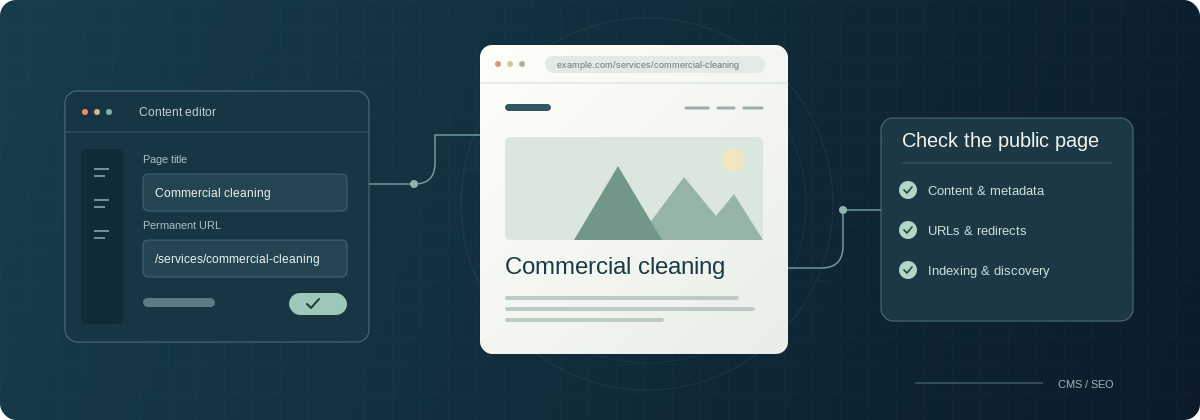
Those needs apply whether you are choosing a ready-made platform, building a bespoke CMS or using a headless CMS, where content is stored separately from the website code. The settings in the editing screen need to work on the website too: saving an SEO title should put it on the right page, and changing a heading should not unexpectedly change the page’s address.
The checklist below sets out the main SEO features to look for, with practical checks you can ask a developer or supplier to demonstrate. The sections that follow explain each requirement and when you might need additional controls. Use them to assess your current CMS or prepare a brief for a new one.
These features help search engines find and understand your pages and help your team publish with fewer mistakes. They do not guarantee indexing or rankings.
The CMS SEO requirements checklist
For most websites, start with these seven areas. Record each as working, partly working, missing or not applicable, with a test URL and an owner. Ask the supplier to demonstrate each one on a working website.
| Area | Requirement | Demonstration to request |
|---|---|---|
| Content and metadata | RequirementIndependent headings and search titles, descriptions and Open Graph fields, with sensible defaults. | Demonstration to requestPublish two pages of the same type. Check that each has its own content and metadata. |
| URLs and redirects | RequirementUnique page addresses, warnings before URL changes and redirects when pages move. | Demonstration to requestChange a test page’s URL and check the old address redirects permanently. Open both trailing-slash versions and check one redirects to the other. Open a made-up URL and check it returns a real 404. |
| Indexing and canonicals | RequirementSensible rules for pages that should appear in Google, drafts and duplicate content. | Demonstration to requestCompare a published page, a page excluded from search and a draft. Ask your developer to show the status code, indexing instructions and preferred URL. Check private previews need a login. |
| Rendered content and links | RequirementPages show their main content and working links, including when opened directly. | Demonstration to requestOpen a service or product URL in a new browser session and follow the menu and links. |
| Discovery and sitemaps | RequirementPages are linked from relevant parts of the site, and the sitemap lists the right URLs. | Demonstration to requestPublish, move and remove a page. Check internal links and sitemap entries after each action. |
| Media, performance and structured data | RequirementImages fit the screen, pages stay usable with real content, and search engines receive accurate information about each page. | Demonstration to requestTest a page with real-sized images and videos on a phone. Check loading, jumping content and taps. Ask your developer to validate the structured data. |
| Publishing safeguards | RequirementReview and approval, access controls, previews, edit history and a way to undo mistakes. | Demonstration to requestCheck an editor cannot change restricted settings. Publish an allowed edit, then restore the previous version. |
Download the CMS SEO acceptance checklist (CSV) to record status, priority, ownership and test evidence in your own spreadsheet.
Sites with multiple languages, product variations or lots of search filters need extra rules. A ten-page service website may have no use for language variants or complex filters, but it still needs to handle a changed URL safely.
Agree who owns each requirement
Some CMS platforms handle both editing and displaying the website. A headless CMS stores the content separately from the code that builds the pages, so several systems need to work together. Agree who is responsible for each part before development starts.
- CMS: the fields editors fill in, checks before saving, links between content, user permissions and draft or published status.
- Website code: how pages look and load, titles and descriptions, menus and information supplied to search engines.
- Hosting: secure connections, redirects, missing-page responses, private areas and stored copies of pages.
- Publishing: making saved changes appear on the website and telling the team if something fails.
Name one person to check each requirement works from start to finish. For example: “After an editor changes a service page’s heading and SEO title, both changes appear on the website within the agreed time.” Decide how long publishing should take and ask the team to demonstrate it.
1. Content, titles and descriptions
Editors should be able to create and improve the main heading, body copy, useful subheadings and relevant internal links without asking a developer. Plan the fields for each type of page: a service page may need an introduction, service details, supporting evidence and related services, rather than one unrestricted text box.
Keep the page name used inside the CMS, the main heading (H1) and the SEO title independently editable, with sensible defaults. An editor should be able to improve the heading without renaming the page in the CMS or changing its URL. Provide a meta description field and a readable fallback. Make the template add the brand name once and show editors where it appears.
Include Open Graph title, description and image controls for shared links, with defaults from the page content. These control sharing metadata; they do not guarantee how every platform will display the link or improve search rankings.
Give editors helpful guidance on title and description length. A character counter cannot guarantee how a search result will display. Google can generate a different title link and may use page text instead of the supplied meta description.
How to check: create two service pages. Write a custom SEO title for one and leave the other to use the automatic title. Check both saved titles and descriptions with your developer. Confirm that an empty field uses the agreed default, and that an ampersand or quotation mark does not break the text.
2. Stable URLs, redirects and removals
Give every page a unique, readable address. Keep the editable part of the URL (the slug) separate from the heading, so changing a few words does not move the page. Warn editors before they change a URL and show both the old and new addresses.
Choose whether page URLs end with a slash, then apply that choice consistently. For example, if /services/cleaning/ is the preferred address, /services/cleaning should redirect to it permanently using a 301 or 308 response. Either style is fine; use the chosen version in links, canonicals and the sitemap. This rule is for two versions of the same page, not for sending nonexistent addresses to a real page. Google explains how slash and non-slash URLs are treated.
When a page genuinely moves, support a permanent HTTP redirect, normally 301 or 308, to its replacement. Give authorised users a redirect manager with validation for loops, conflicts and chains. Google recommends permanent server-side redirects for permanent moves.
A made-up address or a typo with no known replacement should show a helpful “page not found” page and return an HTTP 404 status. The status code tells browsers and search engines what happened. Showing an error message while returning 200, which means success, can create a “soft 404”. Your developer should check the response as well as the message on screen.
For a page you deliberately remove, decide whether there is a genuinely relevant replacement. If so, redirect to it. Otherwise return 404 or 410 (“gone”). Avoid sending every missing URL to the homepage. Google’s status-code guidance explains how it handles these responses.
How to check: ask your developer to demonstrate these four cases:
- A page that exists returns 200 and shows the expected content.
- The slash and non-slash versions of that page lead to one preferred address, with a permanent redirect from the other.
- A made-up URL returns 404, with useful navigation back into the website.
- A page moved twice still redirects from its old addresses to the current page without a loop or unnecessary chain.
Also check HTTP and HTTPS, and any supported www and non-www versions, lead to the chosen secure address.
3. Which pages should appear in Google?
Indexing means a search engine adding a page to its database so it can appear in search results. Decide which pages you want Google to consider. Published services and articles usually belong in that group; drafts, private areas and internal search results need different rules. Restrict settings that affect the whole site, and make individual exceptions easy for reviewers to spot.
A noindex instruction tells Google to leave a page out of its results. Google needs to be able to visit the URL to read that instruction. Blocking access in robots.txt can prevent this. Neither setting keeps information private: protect confidential content with a login or another suitable access restriction. Google documents how page-level robots rules are read.
Manage robots.txt through code or restricted permissions. Before launch, check the live site has not inherited a rule that blocks search engines from the test site. Robots.txt controls crawler access; it is not a reliable way to keep a URL out of search.
A canonical tells search engines which URL you prefer when the same or very similar content appears at more than one address. For an ordinary unique page, it will usually point to that page’s own full URL, including https and the domain. Let authorised users make exceptions for genuine duplicates, with checks to catch missing pages or test-site addresses. Google can choose a different URL, so keep links, redirects and the sitemap consistent with your choice.
How to check: ask your developer to show the indexing instructions and canonical for a normal page, a page deliberately excluded from search and a duplicate. Check drafts stay private and that the preferred URLs point to the live website rather than a test domain. Your developer can use Google’s canonical guidance to check the rules.
4. Pages and links search engines can read
Test a real page of each important type, such as a service, product or article. Content saved correctly in the CMS can still be missing from the website. Open each URL directly and check its heading, text, images, menu and SEO settings.
Your developer can arrange for the main content to arrive ready to read, rather than waiting for JavaScript to build it in the browser. Google can process JavaScript, but this adds another step that can fail, and other search tools may not run it. Ask your developer how the pages are built and how they will check them against Google’s JavaScript SEO guidance. For a website built with Next.js, see our Next.js SEO essentials guide.
Navigation, breadcrumbs and contextual links should lead to real URLs. Developers should use standard HTML links, written as <a href="…">, including in related-content blocks. Make sure visitors can reach important pages by following links. An XML sitemap alone does not provide that route for readers.
How to check: open a service or product URL without visiting the homepage first. Ask your developer to compare the page before and after JavaScript runs. Follow its links with a keyboard. Text needed for search should already be in the page once it has loaded, even if the design hides it in tabs or expandable sections. It should not require a click to fetch it. Additional “load more” results should also be reachable through linked URLs. Google’s link guidance explains which link formats it can reliably extract.
5. Site structure and XML sitemaps
Let editors organise pages into useful sections and link related content. If moving a section also changes the addresses of pages inside it, the CMS should warn them. Where possible, flag published pages that have no links pointing to them from elsewhere on the site.
An XML sitemap is a list of URLs for search engines. Keep it updated automatically as pages are published, moved or removed. Include the preferred URLs of pages you want considered for search, leaving out redirected, deleted and noindex pages. Use meaningful last-modified dates for significant page changes, rather than giving every URL today’s date whenever the site builds. A sitemap helps discovery; it does not guarantee indexing. Google’s sitemap documentation covers supported formats and lastmod values.
How to check: publish a page and confirm it appears under an appropriate parent and in the sitemap. Change its URL, then unpublish it. Check the links and sitemap after each change has reached the website.
6. Images, performance and structured data
Provide image dimensions, responsive variants, compression and a way to write useful alternative text. Editors should be able to mark decorative images appropriately. Reserve layout space for images and embeds, and avoid lazy-loading the image that supplies the main above-the-fold content.
Test pages with realistic images, videos and amounts of text. Agree measurable performance targets before development. Google’s good Core Web Vitals thresholds are Largest Contentful Paint (LCP) of 2.5 seconds or less, Interaction to Next Paint (INP) of 200 milliseconds or less and Cumulative Layout Shift (CLS) of 0.1 or less, met by at least 75% of visits, measured separately for mobile and desktop.
These measure how soon the main content appears, how quickly the page responds and how much the layout jumps. A simulated mobile test helps find problems; data from real visitors shows whether the site meets the targets. One phone test cannot prove that.
Our performance diagnosis guide explains lab and real-visitor evidence in a Lovable context; those distinctions also help when assessing other platforms.
Structured data gives search engines labelled information about a page, such as the product it sells or the article’s author. Have your developer generate it from the CMS fields, using Google’s recommended JSON-LD format where practical. Keep business details consistent and make sure the information matches what visitors can read. Editors should update the normal fields rather than having to maintain snippets of code.
How to check: test a page with realistic content on a phone, inspect image sizes and layout movement, and validate supported structured data with the Rich Results Test. Check for duplicate or contradictory markup from plugins and templates. Valid markup does not guarantee a rich result; follow Google’s structured data policies.
7. Publishing safeguards and ongoing checks
Separate draft, review and published states. Give editors a reliable preview and tell them when a change is live. Protect preview and staging environments with appropriate access controls. Check that launch removes any temporary restrictions from production without exposing unfinished content elsewhere.
Restrict settings that can affect search visibility, such as redirects and indexing rules, to the people who need them. Keep an edit history and agree how to undo mistakes. Restoring an earlier version in the CMS should also update the website; ask your developer to demonstrate both.
If the CMS and website are separate, test what happens when publishing fails. An editor should be told when a saved change has not reached the website, and someone should be responsible for fixing it. Recheck important page types, redirects and publishing actions after CMS, plugin or website-code updates.
How to check: make an edit with an ordinary editor account, request approval, publish and verify the page on the website. Restore the earlier version and confirm that the page on the website changes back too. Demonstrate how a failed publish is reported rather than leaving the editor guessing.
Extra requirements for larger or more complex sites
- Languages and regions: use stable URLs and suitable content for each language or region. Where relevant, use hreflang markup to link equivalent versions. Each version should list itself and its equivalents, and the references should link back to one another. Avoid forcing visitors onto a version they cannot change. Use Google’s localised-version guidance.
- Pagination and filters: give useful result pages accessible URLs and links, then decide which filter combinations deserve indexing. Avoid creating endless filter URLs for crawlers to wander through. A category with multiple pages needs a discovery route beyond a button that only runs JavaScript. Give each paginated page its own appropriate canonical rather than pointing every page at page one. See Google’s pagination guidance.
- Products and variants: agree URL, availability, canonical and structured-data rules for variants and discontinued products before building the templates.
- Large migrations: support bulk content import, exportable URL inventories and redirect mapping. Preserve useful existing URLs where practical, and test the old-to-new mapping before launch. Our custom-domain SEO guide covers a smaller version of the same handover problem.
How to check: choose a representative difficult case, such as a translated paginated category or a discontinued product. Ask the team to show what happens on the website. Write down anything the system will not handle, so everyone understands what is included.
Experience from an automotive CMS
I worked for an automotive SaaS company, where my role was to work on and maintain the platform from an SEO perspective. The company built a CMS specifically for dealership clients. Editable SEO titles, descriptions, Open Graph metadata, canonicals and indexing settings were part of it. Editors could also write a custom H1 instead of being forced to use the page name as the heading.
Stock management shaped some of the more important requirements. Large dealers could have thousands of vehicle listings, with similar models differing mainly in registration and individual vehicle details. Stock could sell quickly, sometimes before Google had indexed the page. The CMS gave users the option to noindex thin, repetitive stock pages or allow indexing where the listing offered a useful search destination.
Prestige dealers had a different opportunity. Their vehicles could remain in stock for longer, and specific model variants attracted useful long-tail searches. The indexing controls let dealers make choices that suited their inventory and the quality of their pages. Similar vehicles alone are not a reason to exclude every listing.
Landing pages built around real stock
Users could create custom landing pages by selecting stock criteria from dropdowns, then add supporting editorial content. A dealer could select Ford Fiesta stock at its Maidstone dealership, or narrow the selection by engine size and colour. That made it possible to build relevant pages for searches such as “used Ford Fiesta for sale in Maidstone” or “Ford Fiesta 1.2 for sale in Kent”. These search phrases illustrate the targeting the system supported; they are not quotations from named client pages.
Configurable link blocks connected those pages from relevant dealership and model pages. A Maidstone dealership page could link to local model stock, while a Ford Fiesta page could link to useful, more specific variants. Visitors had a route to the right inventory, and the landing pages had relevant internal links.
In practice, landing pages built this way ranked for relevant long-tail searches and generated enquiries. The CMS made it possible to combine matching stock, useful page content and relevant internal links around a specific customer need.
Build requirements around what the customer sells and how quickly it changes. Give editors useful choices with safe defaults. For landing pages based on available stock, define which combinations deserve a permanent page, how much supporting content is needed and what happens when matching stock runs out.
For a new project, I would make each landing page a useful place to browse matching stock and enquire about it. A different town name, colour or engine size is not enough reason to create another page if it shows essentially the same vehicles and advice. When a combination does not help someone make a different choice, keep it as a browsing filter or combine it with an existing page. This is the distinction to preserve when applying Google’s policies on doorway abuse and scaled content abuse.
Plan for empty stock before launch. Google recommends a 404 response for filter combinations with no results. For a separately maintained landing page, decide whether it still helps shoppers when stock is temporarily unavailable. If you keep it, give visitors useful information and relevant alternatives; an empty page with only a “no matches” message can be treated as a soft 404. If the page is no longer useful, remove it with the appropriate status or redirect it to a genuinely relevant replacement.
A business with fast-changing stock needs different publishing tools from a small service business. Ask what your customers need to create and maintain before deciding which SEO fields to put in the admin screen.
Turn the checklist into a build brief
For each requirement, copy these fields into your brief or use the downloadable checklist:
- Affected page types and default behaviour.
- Permitted exceptions and who can approve them.
- Person responsible across the CMS, website code and hosting.
- Priority: essential for launch, needed for a feature, or a later improvement.
- Test URL, expected result, evidence and current status.
In a supplier demo, ask them to rename a published page, remove one and recover a previous version. Ask what happens if a publish fails. Seeing a settings screen is not enough; ask to see the result on the website too.
When an authorised editor changes a service page’s URL, the previous URL returns a permanent HTTP redirect to the new URL. The new page returns 200, uses the correct canonical, and appears in internal links and the sitemap after the agreed publishing window. Evidence: the developer’s response checks for both URLs and a check of links to the affected pages.
Ask suppliers to demonstrate these checks on representative pages. For an existing CMS, start with the gaps that affect current publishing: missing redirects, inaccessible content, incorrect indexing rules or editors unable to improve important pages. Record the current state of each gap, fix them in priority order, then run the same checks again. If pages are already absent from search, use our indexing diagnosis guide to establish the cause.
Sources and further reading
The automotive example comes from Andy Chubb’s work maintaining and improving an automotive SaaS platform from an SEO perspective. The checklist applies that experience alongside the primary documentation below. It is a set of suggested requirements and tests, rather than a claim that every CMS has been tested against them.
AI tools assisted with drafting and organising this guide. Andy Chubb supplied the automotive experience and reported outcomes. Links to Google’s documentation support explanations of how Google handles pages; the CMS requirements and suggested checks also draw on practical SEO judgement.
- Google on title links, snippets and crawlable links.
- Google on redirects, robots directives, canonicals and sitemaps.
- Google on JavaScript SEO, structured data and localised pages.
- Google on HTTP status codes and trailing slashes.
- Google on filter URLs and faceted navigation, pagination, robots.txt and Core Web Vitals.
Apply the requirements to your CMS
Start with the checklist table. Mark each row working, partly working, missing or not applicable for your CMS, with a test URL and an owner. That gives you a list of gaps to take to your developers or supplier. If you would like help prioritising those gaps and checking the finished implementation, our custom CMS SEO service covers that work.