
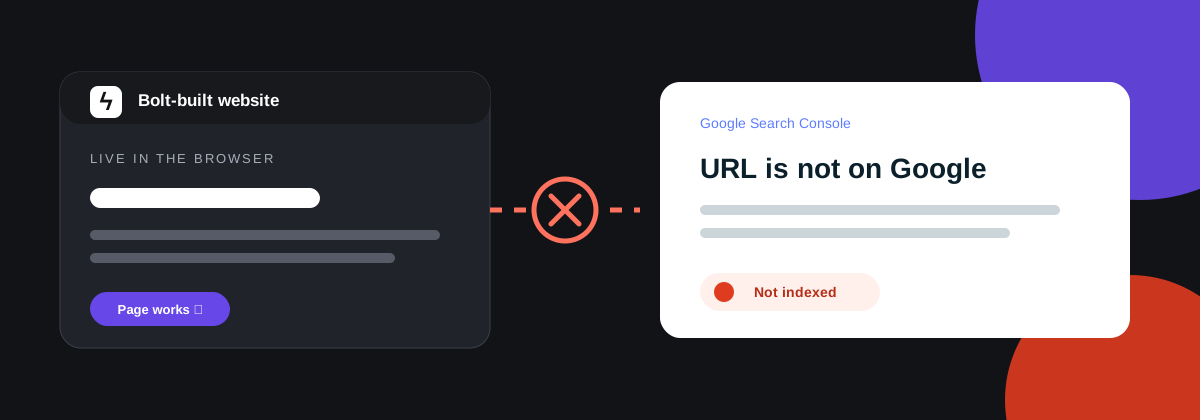
Start with the right question
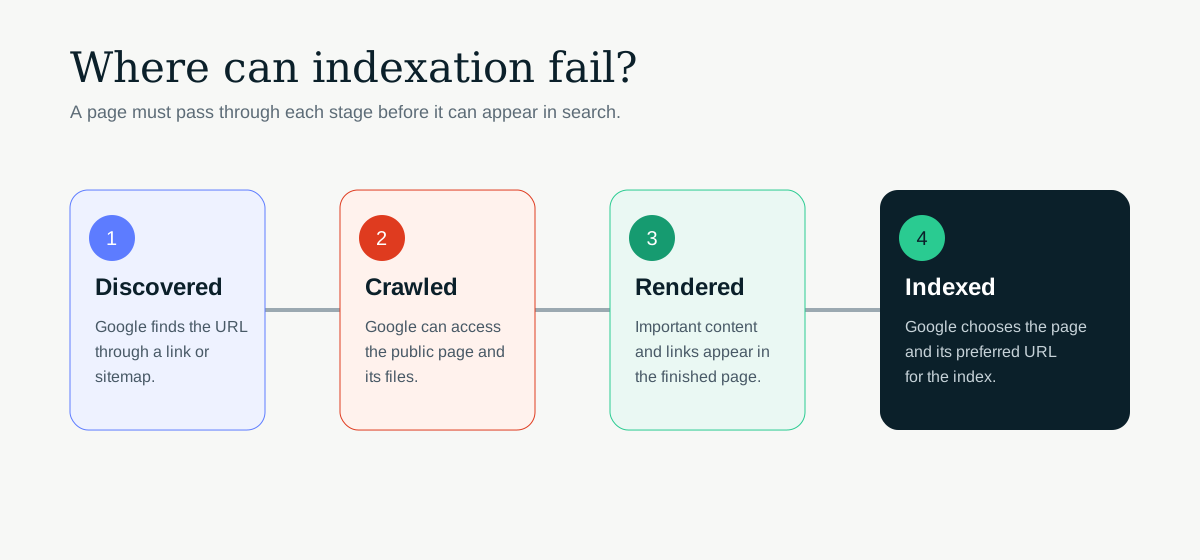
“Not indexed” can describe several different problems. Google may not know the URL exists. It may know the URL but be unable to crawl it. It may crawl the page but see very little useful content. It may also choose another URL as the canonical version.
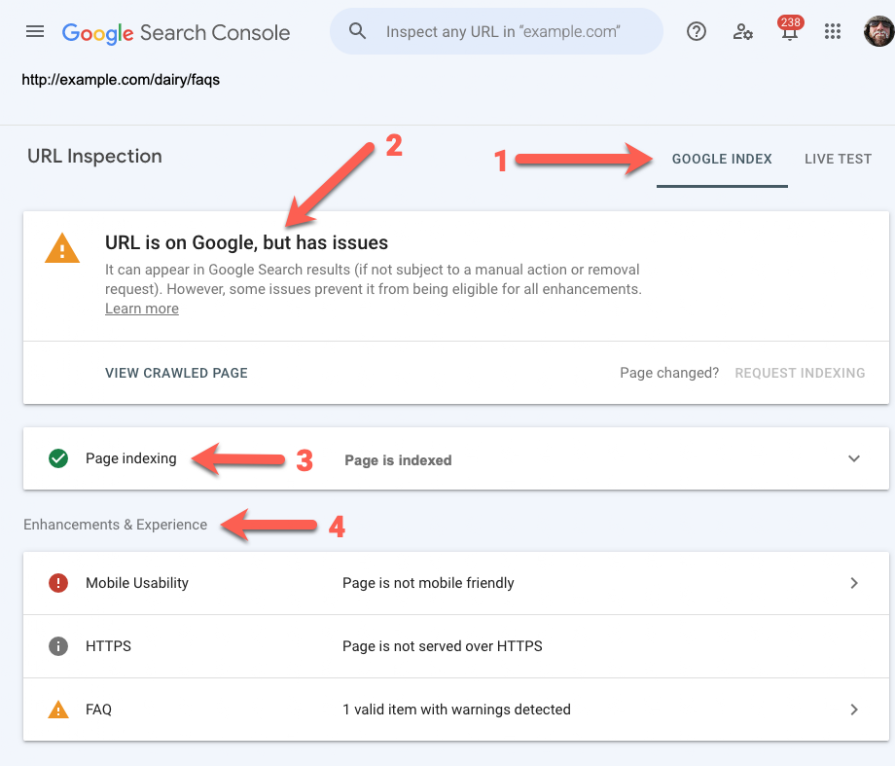
Open Google Search Console and inspect one affected URL. Look at the reported status, the selected canonical and the rendered page. Do not start changing code until you know which part of the process has failed.
Search Google for site:yourdomain.com. This is not a complete index report, but it quickly shows whether any pages from the domain are appearing.
Make sure the public site is actually public
Preview links, password protection and sign-in walls are useful while a site is being built. They also prevent search engines from reaching the pages. Check the real production URL in a private browser window where you are not signed in.
Then check the response status. A public page should normally return 200. Missing pages should return 404. Redirected pages should return a proper 301 or 308. A page that looks correct in a browser can still return the wrong status behind the scenes.
Check robots.txt and noindex rules
A staging rule can easily follow a project into production. Look for a noindex robots tag in the page HTML and check that robots.txt is not blocking important routes or JavaScript files.
Robots.txt controls crawling. It does not reliably remove a page from the index. If a page should stay out of search, use an appropriate noindex rule and allow the crawler to access the page so it can see that instruction.
Google notes that it may skip rendering when it finds noindex in the original page, so do not rely on client-side JavaScript to remove that rule later. See Google’s JavaScript SEO guidance.
Check what is present after rendering
Many vibe-coded sites are React applications. The initial HTML may contain little more than an app container while JavaScript loads the page content in the browser. Google can render JavaScript, but rendering adds another step and other crawlers may not run it at all.
Use Search Console’s URL Inspection tool to view the tested page and compare the rendered HTML with what a visitor sees. Check that the main heading, body copy, internal links, title, description and canonical are present.
Content that only appears after a click, a scroll or a failed API request is easy to miss. Google does not click buttons to reveal essential page copy. Important content should load as part of the page itself.
Give every useful page its own URL
A polished single-page interface is not the same as a searchable website. If services, locations or topics only exist as tabs, modals or changing panels on one URL, search engines do not have separate pages to index.
Create a stable URL for each page that deserves to appear in search. Link to it with a normal HTML link. Google’s developer guidance recommends giving each screen or distinct piece of content its own URL and using crawlable links with an href.
Look for canonical and duplicate-page problems
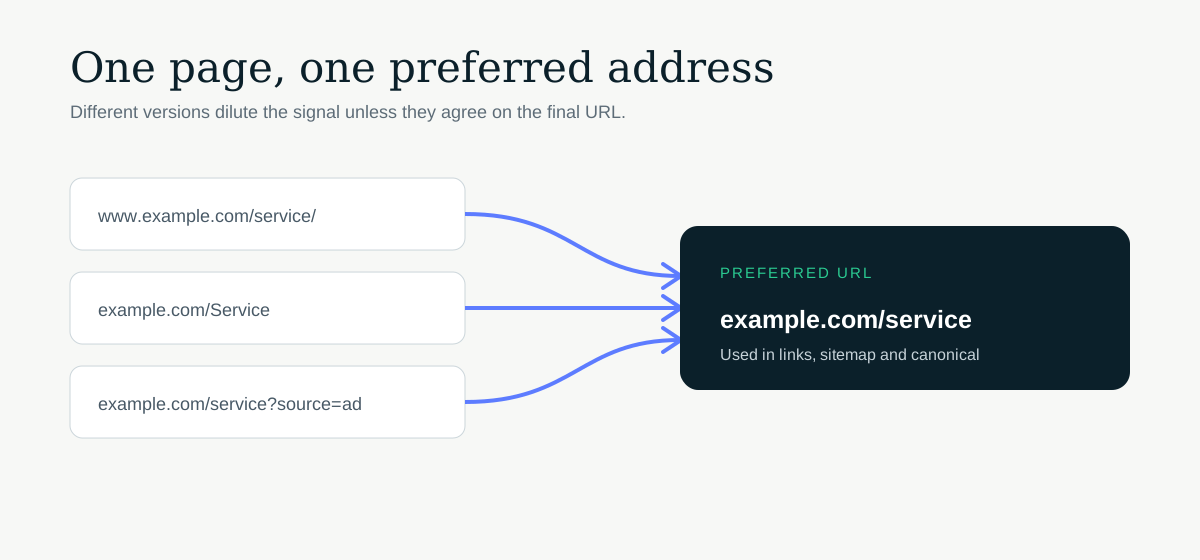
A canonical tells search engines which URL represents the preferred version of a page. It should normally point to the page’s final public URL. Common mistakes include canonicals that still reference a preview domain, every page pointing to the homepage, or both www and non-www versions remaining accessible without a redirect.
Also check trailing slashes, uppercase URLs and query parameters. Several versions of the same page can make the signals less clear. Pick one format, redirect the alternatives and use the same version in internal links and the sitemap.
Use a sitemap, but do not depend on it
An XML sitemap helps search engines find the URLs you want indexed. It should contain final, canonical, indexable pages that return a successful response. Remove preview URLs, redirected URLs and pages marked noindex.
A sitemap does not replace internal linking and does not guarantee indexation. Every important page should still be reachable from another useful page on the site. Google states this clearly in its SEO guide for developers.
Check whether the page deserves to be indexed
Once the technical controls are correct, look at the page itself. A short page that repeats wording found elsewhere, answers no clear question or exists only to target a phrase may be crawled without being indexed.
Give the page a specific purpose. Explain the service, product or subject properly. Add details that a generic generated page would not know, such as the process, limitations, examples, decisions and experience behind the offer.
A sensible order for fixing the problem
- Inspect one affected URL in Search Console.
- Confirm the live page is public and returns the right status.
- Check robots.txt, robots tags and canonical tags.
- Review the rendered HTML and visible content.
- Confirm the page has a stable URL and crawlable internal links.
- Check the sitemap contains the final URL.
- Improve the page if it is too thin or too similar to another page.
- Request indexing after the fix, then monitor the result.
Work through the list in order. Submitting the same unchanged URL repeatedly will not solve an underlying crawl, rendering or quality problem.